 SUPPORT
 Track Order

Scanner Printer All-in-One: Best Printer with Scanner & Affordable Buying Guide in India (2026)
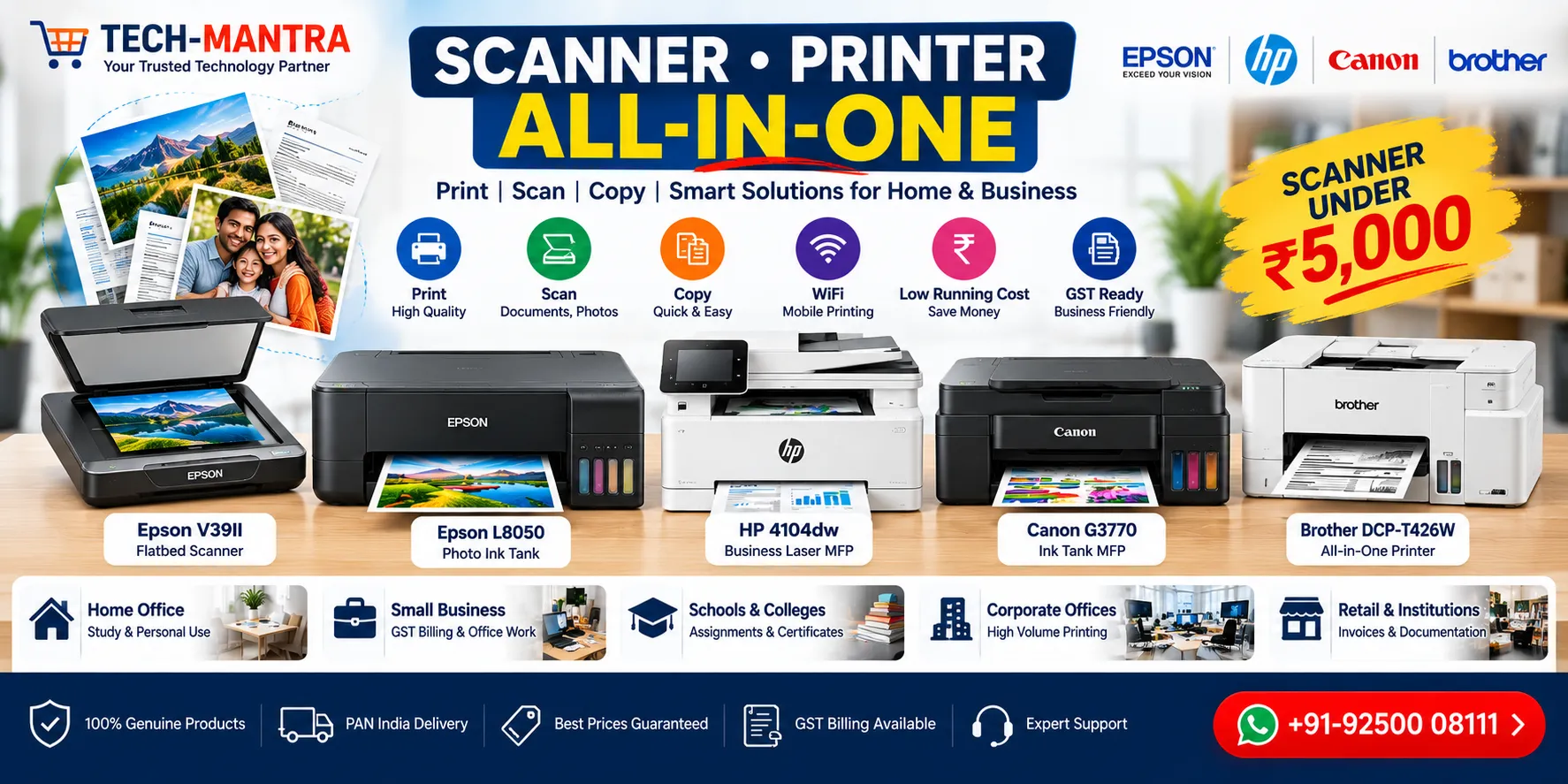
Looking for a scanner printer all-in-one for your home, office, shop, school, or small business? Buying a printer and scanner separately can take up more space, increase your overall cost, and make your workspace unnecessarily complicated. An all-in-one printer with scanner combines essential document functions into a single compact machine.
Whether you need to print GST invoices, scan documents, copy forms, prepare office reports, print school assignments, or manage everyday paperwork, a printer with scanner can make your workflow much easier.
In this guide, Tech-Mantra explains the difference between a standalone scanner, a regular printer, and a printer scanner combo. We will also discuss affordable scanners, what to look for when searching for a scanner under 5000, and how to buy a genuine product from a trusted supplier in India.
What Is a Scanner Printer All-in-One?
A scanner printer all-in-one is a multifunction device that combines printing, scanning, and usually copying in one machine. Depending on the model, it may also include WiFi, mobile printing, automatic document feeding, duplex printing, and other productivity features.
Instead of purchasing three separate devices, an all-in-one printer can handle several everyday tasks from one compact unit.
- Print documents and invoices
- Scan paper documents
- Make photocopies
- Print from smartphones and laptops
- Digitize important paperwork
- Support everyday home and office workflows
Why Choose a Printer with Scanner?
For most home users and small businesses, a printer with scanner offers excellent convenience. Imagine receiving a signed document from a customer and needing to send it back digitally. With a multifunction printer, you can scan the document, save it as a PDF, and send it without needing another device.
The same setup is useful for GST invoices, quotations, identity documents, certificates, school forms, purchase orders, and business records.
Key Benefits
- Space saving: One device performs multiple functions.
- Better convenience: Print, scan and copy from one location.
- Suitable for home offices: Ideal when desk space is limited.
- Business friendly: Useful for invoices, quotations and documents.
- Easy document digitization: Convert physical paperwork into digital files.
- Wireless options: Selected models allow printing from mobile devices.
Standalone Scanner vs Printer with Scanner
| Feature | Standalone Scanner | Printer with Scanner |
|---|---|---|
| Scanning | Yes | Yes |
| Printing | No | Yes |
| Copying | No | Usually Yes |
| Space Required | Separate Device | One Device |
| Best For | Heavy Scanning | Home & Office |
| Overall Convenience | Scanning Focused | Multi-Purpose |
If you only need to digitize documents, photographs, certificates, or artwork, a dedicated scanner may be the right choice. But if you need printing and scanning together, an all-in-one printer generally makes more sense.
Can You Get a Scanner Under ₹5,000?
Budget-conscious buyers often search for a scanner under 5000. Entry-level scanning devices may be available around this budget depending on the brand, model, specifications, offers, and availability.
However, price should not be the only consideration. Before buying a low-cost scanner, check the actual scanning resolution, connectivity, supported paper size, software compatibility, warranty, and intended workload.
A scanner costing slightly more can sometimes provide significantly better usability and reliability for regular business work.
What to Check Before Buying a Budget Scanner
- Optical scanning resolution
- A4 document support
- USB connectivity
- Windows and macOS compatibility
- Scanning software
- PDF creation support
- Warranty
- Brand service availability
Best Uses for a Scanner Printer Combo
Home Office
A multifunction printer is ideal for people working from home who regularly print contracts, reports, invoices, applications, and other documents.
Small Business
Retailers, consultants, freelancers, and service businesses can use an all-in-one printer for invoices, quotations, customer documents, and scanning paperwork.
Students
Students can print assignments and projects while scanning notes, certificates, forms, and study materials.
CA & GST Offices
Accounting professionals frequently handle invoices, tax documents, financial records, and client paperwork. A printer scanner combination can simplify everyday document management.
Schools & Institutions
Schools and educational institutions can use multifunction printers for certificates, administrative documents, forms, notices, and student records.
Ink Tank vs Laser Printer with Scanner
One of the most important decisions is choosing between an ink tank multifunction printer and a laser multifunction printer.
| Requirement | Recommended Type |
|---|---|
| Regular Color Printing | Ink Tank |
| Photos & Creative Documents | Ink Tank |
| Heavy Black-and-White Printing | Laser |
| Fast Office Documents | Laser |
| Home Office | Either, Depending on Workload |
| Low Color Running Cost | Ink Tank |
If you regularly print colorful documents, an ink tank printer can be an economical long-term solution. If your workload is primarily black-and-white office paperwork, a laser multifunction printer may be more suitable.
What Features Should You Look for in an All-in-One Printer?
1. Print, Scan & Copy
These three functions cover the majority of everyday home and business requirements.
2. WiFi Connectivity
WiFi allows multiple users to print from laptops, smartphones, and other compatible devices without repeatedly connecting a USB cable.
3. Automatic Document Feeder
If you frequently scan or copy multiple pages, an ADF can save considerable time by feeding documents automatically.
4. Duplex Printing
Automatic double-sided printing can reduce paper consumption and is particularly useful for office reports and lengthy documents.
5. Low Running Cost
Don’t judge a printer only by its purchase price. Compare the cost of ink or toner, expected page yield, and your monthly printing volume.
How to Buy a Scanner at a Low Price Without Compromising Quality
If your goal is to buy scanner low price, follow a few simple rules before placing your order.
- Compare the specifications instead of only comparing prices.
- Check whether the product is genuine.
- Verify manufacturer warranty.
- Check whether the scanner suits your daily workload.
- Compare the total ownership cost.
- Ask for a GST quotation if purchasing for a business.
- Buy from an established and responsive supplier.
The cheapest product isn’t necessarily the cheapest solution. A reliable scanner with proper warranty and support can provide better value over its entire working life.
Popular Scanner & Printer Brands
When searching for a scanner supplier or printer supplier, buyers commonly consider established brands such as:
- Canon – Printers, scanners and multifunction devices
- Epson – Ink tank printers and document scanners
- HP – Laser, ink tank and multifunction printers
- Brother – Business printers and document solutions
The right brand depends on your required print volume, scanning requirements, color needs, connectivity, and budget.
Why Buy from a Trusted Supplier?
When purchasing a printer or scanner for business use, the supplier is almost as important as the product itself. A trusted supplier can help you select the correct model instead of simply selling whichever product is available.
Tech-Mantra provides printing and scanning solutions for home users, businesses, educational institutions, offices, and organizations across India.
Why Choose Tech-Mantra?
- Genuine branded products
- Competitive business pricing
- GST billing available
- Bulk order support
- Corporate quotations
- Product selection assistance
- PAN India supply
- Customer support
Printer & Scanner Solutions for Every Requirement
| Requirement | Suggested Solution |
|---|---|
| Home Printing & Scanning | All-in-One Ink Tank Printer |
| GST Billing | Multifunction Business Printer |
| Photo Printing | Color Ink Tank Printer |
| Heavy Office Printing | Laser Multifunction Printer |
| Document Digitization | Dedicated Document Scanner |
| Low Budget Scanning | Entry-Level Flatbed Scanner |
| High Volume Scanning | ADF Duplex Document Scanner |
Frequently Asked Questions
What is the best scanner printer all-in-one?
The best all-in-one printer depends on your workload. For home and small-office use, an ink tank multifunction printer can provide printing, scanning, copying, WiFi, and economical running costs. For high-volume monochrome work, a laser multifunction printer may be more appropriate.
Can I buy a scanner under ₹5,000?
Entry-level scanners may be available around ₹5,000 depending on the model and current market pricing. Always verify the latest price, specifications, warranty, and availability before purchasing.
Is a printer with scanner better than buying separate devices?
For many home users and small businesses, yes. A multifunction printer saves space and combines printing, scanning, and copying in one device. A dedicated scanner is preferable when scanning is the primary requirement and document volume is high.
Where can I buy a scanner at a low price?
Compare current prices from a trusted supplier and consider the complete ownership cost, warranty, genuine product status, and after-sales support rather than choosing solely on the lowest advertised price.
Does Tech-Mantra supply printers and scanners across India?
Yes. Tech-Mantra supplies printers, scanners, multifunction devices, and related office technology solutions across India, with GST billing and support for business and bulk requirements.
Can businesses get GST billing?
Yes. Businesses can request GST billing and a customized quotation depending on the product and quantity required.
Final Verdict
A scanner printer all-in-one is an excellent choice when you want printing, scanning, and copying in a single convenient device. For homes and small offices, it can eliminate the need for multiple machines while keeping your workspace organized.
If you only need occasional document scanning, an affordable standalone scanner may be enough. If you need regular printing and scanning, choose a multifunction printer based on your print volume, color requirements, running cost, connectivity, and warranty.
And if you’re searching for a scanner under 5000, a buy scanner low price deal, or a reliable printer and scanner supplier, compare the complete value of the product—not just its sticker price.
Tech-Mantra provides genuine printer and scanner solutions with competitive pricing, GST billing, business quotations, and PAN India supply.
📞 Best Price & Business Enquiry: +91-92500 08111
🌐 Tech-Mantra – Printers, Scanners & Office Technology Solutions Across India
Recommended Blog article for Usefull
For this article, I’d create a strong Knowledge for first time users Buy:
Recent Post

© Copyright 2010-2025 Tech Mantra. All rights reserved
